Tell Yoga AI what you need.
Type or dictate a brief and add a reference folder. For example: “Add English captions with yellow keywords, punch-in zooms and whooshes. Do not export.”
WINDOWS VIDEO EDITOR · VERSION 1.23

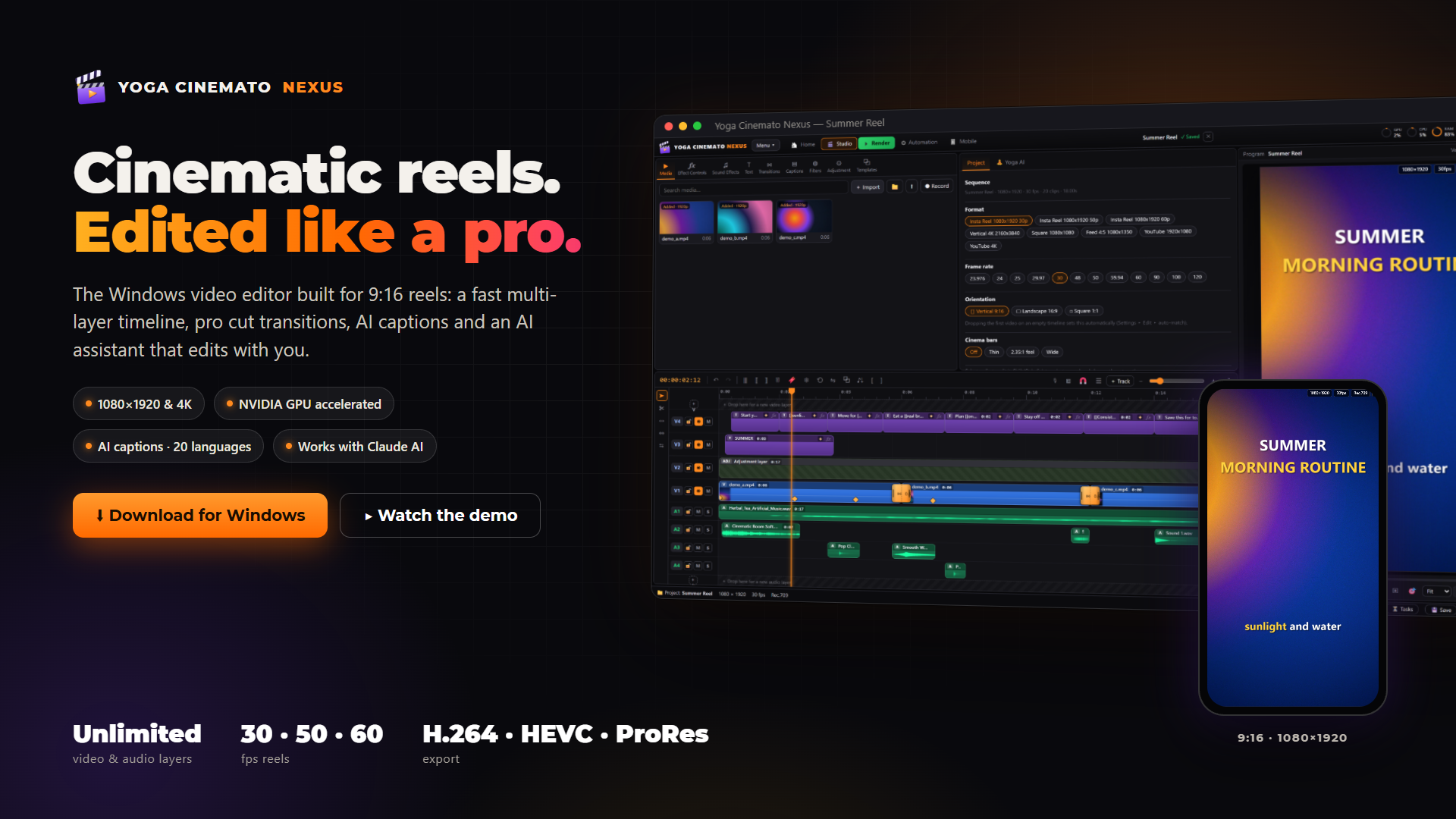
Cinematic reels. Edited like a pro.
Made for creators who make reels every day. A fast multi-layer timeline, cinematic transitions, colour grading, animated titles and offline AI captions, all in one Windows editing workspace.
Yoga AI edits with you. Describe your brief in English or Tamil, work with Claude, or reuse a learned technique with Edit Self. You stay in control of the timeline and the final export.
YOUR CREATIVE CO-PILOT
Brief in Tamil or English. English captions when you want them. Every layer stays ready for your review.
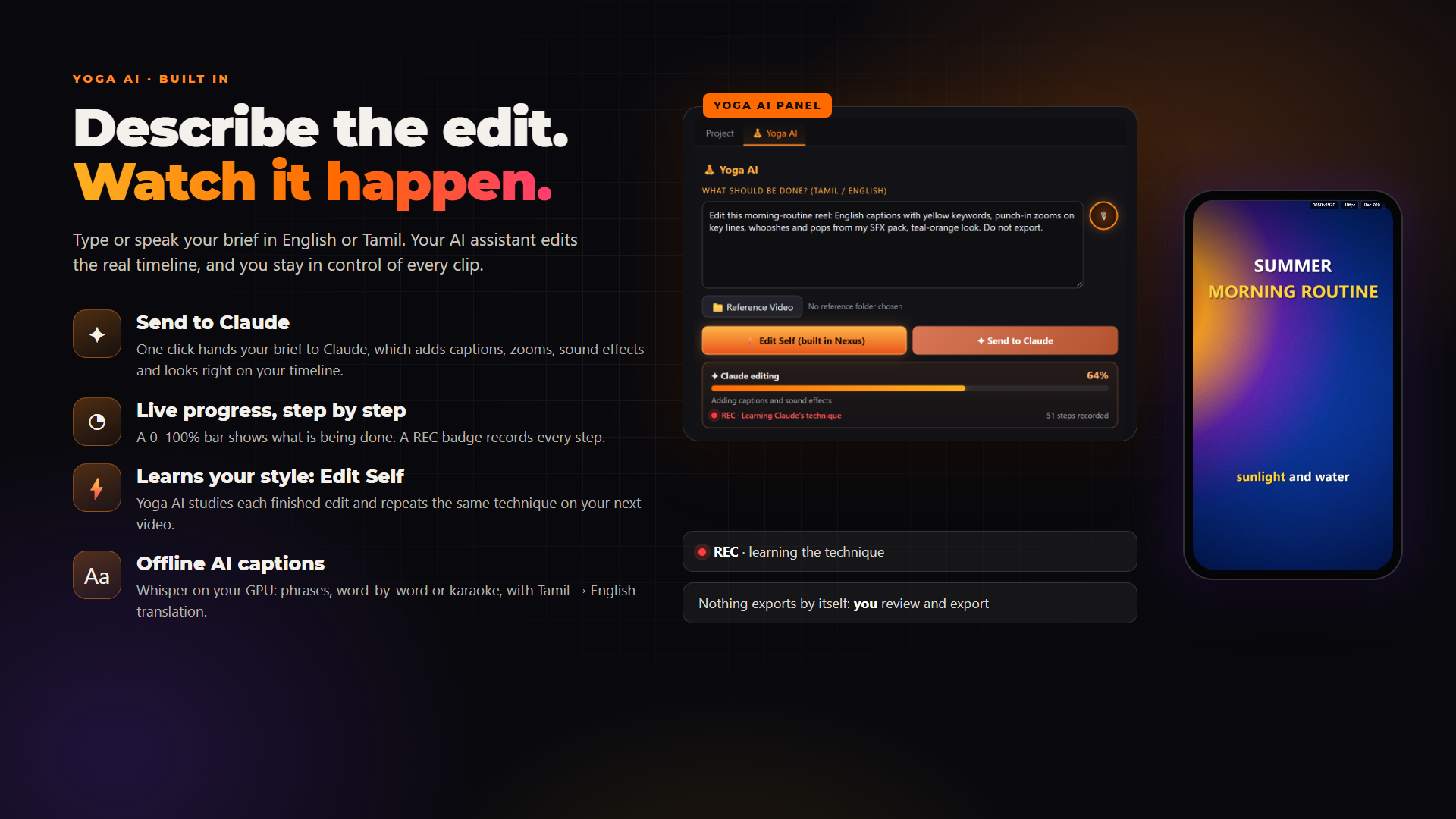
Type or dictate a brief and add a reference folder. For example: “Add English captions with yellow keywords, punch-in zooms and whooshes. Do not export.”
Send to Claude hands the brief to your connected assistant. A live progress bar shows each step while the REC badge records the editing technique.
Keep every edit under your control. Edit Self can reuse learned techniques on the next video. Nothing is exported automatically.
PRO TOOLS · ONE APP
Start at 1080×1920, switch to landscape or square, and move up to 4K when the project needs it.
01 / EDITING
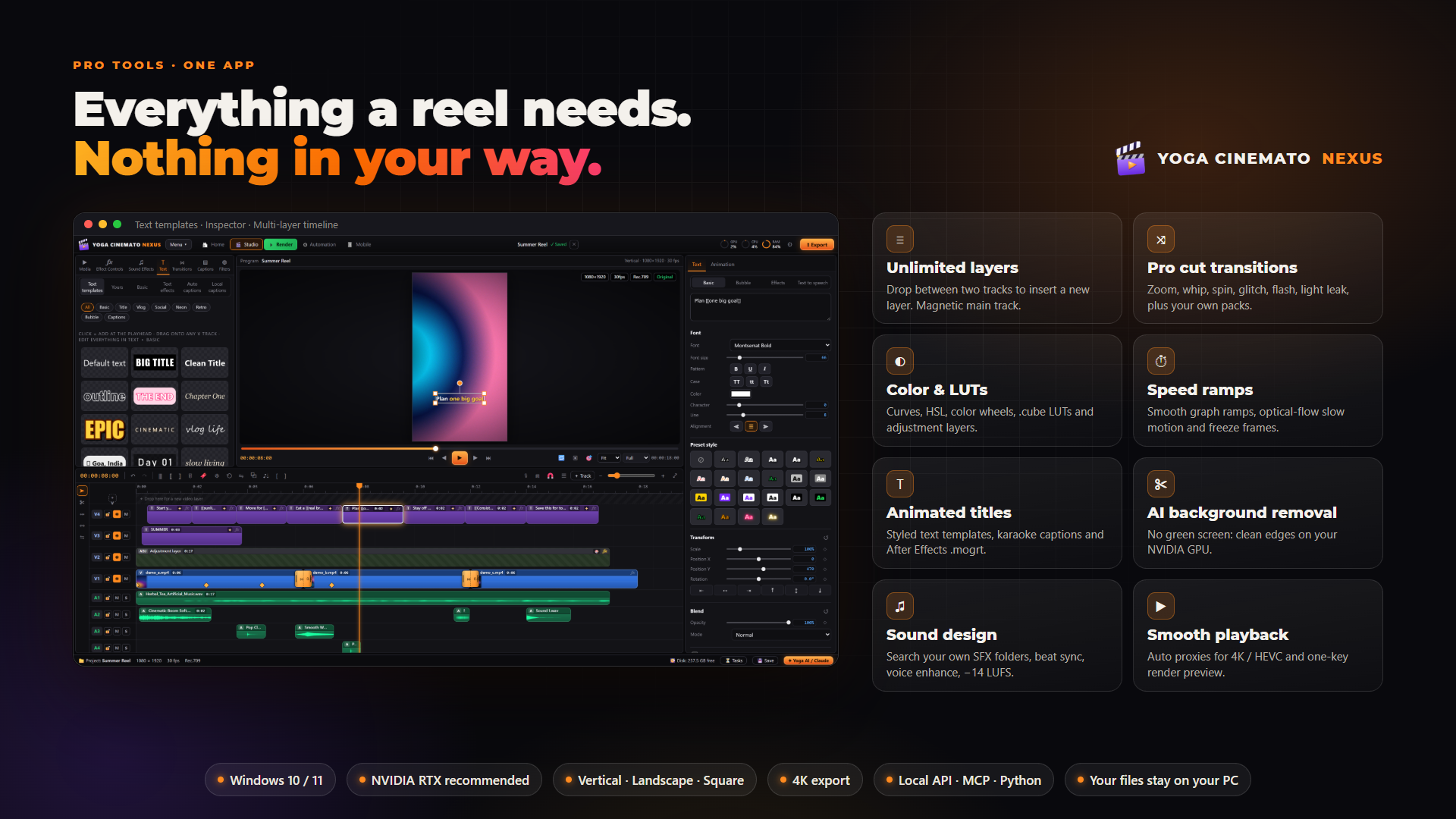
Layer video, text, graphics and audio. Drop a clip between tracks to insert a new layer; close empty gaps automatically.
Magnetic main track, snapping, blade, ripple, roll and slip tools, markers and a 200-step undo history.
Vertical, Landscape, Media, Attributes and Timeline layouts, plus Auto layout that follows the project.
Animate position, scale, rotation, opacity and volume with ease curves.
02 / LOOK & MOTION
Zoom, spin, whip pans, glitch, flash, light leak, camera shake and blur, with matching preview and export.
Wipes, shapes, slides and dissolves for the moments that need a simpler transition.
0.1–10× speed, reverse, graph-based speed ramps, freeze frames and optical-flow slow motion.
Nine cinematic LUT looks, curves, HSL, colour wheels, adjustment layers and .cube LUT import. Add blur, VHS, RGB split, film grain, glow and more.
03 / TEXT & CAPTIONS
GPU-powered Whisper captions in 20 languages, with phrases, word-by-word and karaoke styles, plus Tamil-to-English translation.
Styled title templates, Tamil and Indic text shaping, and SRT import/export.
Use .mogrt text templates through your own installed Adobe After Effects.
04 / AI TOOLS
Type or dictate in English or Tamil, add a Reference Video folder and send your brief to Claude. Follow a live 0–100% progress bar and REC indicator.
Reuse editing techniques recorded by Yoga AI, including caption treatment, sound-effect timing and looks, on a new video.
Background removal, face-tracking auto reframe, stabilisation, denoise, logo removal and AI expand for 9:16.
05 / SOUND
Search and preview your own SFX folders, then drop sounds onto the timeline.
Beat detection, beat-synced auto edits, voice enhancement, fades and −14 LUFS loudness normalisation.
06 / PERFORMANCE & EXPORT
Smoother editing for 4K, HEVC, 10-bit and ProRes footage. Export uses the original media.
Press Enter to render a heavy section once for smooth repeat playback.
H.264 and HEVC using NVIDIA NVENC or CPU, plus ProRes 422 HQ. Work up to 4K with 30, 50 or 60 fps exports.
07 / POWER USERS
Local REST API, MCP server and Python scripting for editing automation.
Save an edit as a template with replaceable clip slots.
Control the editor from your phone over your Wi-Fi.
BUILT FOR YOUR EVERYDAY CREATIVE WORK
PLAN YOUR SETUP
Indicative configurations provided for planning, not benchmark-verified minimums. Performance depends on your media, effects and AI models. Confirm compatibility with our team before purchase.
| Component | Suggested minimum | Recommended |
|---|---|---|
| Operating system | Windows 10, 64-bit | Windows 11, 64-bit |
| Graphics | DirectX 12-capable GPU | NVIDIA RTX for accelerated export and AI tools |
| Memory | 8 GB RAM | 16 GB RAM or more |
| Storage | SSD with 10 GB free | NVMe SSD |
| Internet | Installation and first AI model download | Required for Send to Claude |
Use the Claude desktop app with your own Claude account for Send to Claude. Local tools and Edit Self can be used without Claude.
Install your own licensed Adobe After Effects to render .mogrt text templates.
BEFORE YOUR FIRST EDIT
Editing, AI captions after the first model download, background removal and export run on your PC. Send to Claude requires an internet connection and your own Claude account.
No. You review the timeline and press Export yourself. AI-assisted edits are kept available for your review.
Twenty languages plus auto-detect, with Tamil speech to English caption translation.
Only for Send to Claude. Edit Self and the local editing tools work without Claude. Use the Claude desktop app with your own account for connected editing.
Yes. Use your own sound effects, .cube LUTs, reusable templates and .mogrt text templates. Adobe After Effects must be installed to render its text templates.
Project files are stored on your PC in Documents\YogaCinematoNexus. Local editing tools run on your PC; Send to Claude is a connected workflow that uses an external AI service.
Contact 11th Angle for current pricing, licence terms, availability and the Nexus installer. Version shown: 1.23. Website login is not required to make an enquiry.
YOGA CINEMATO NEXUS
Ask us about version 1.23, current pricing, licence terms, a product demonstration and installer availability.
Talk to 11th Angle ↗Back to all products ←Claude is a product of Anthropic. After Effects is a trademark of Adobe. NVIDIA, RTX and NVENC are trademarks of NVIDIA Corporation. Yoga Cinemato Nexus is an independent product and is not affiliated with or endorsed by these companies.